The IT Manager’s Guide to Deploying Interactive Displays Across Nigerian Networks
When an institution upgrades to an interactive display in Nigeria, the decision is usually driven by educators or executives seeking better presentation tools. However, once the hardware arrives, the responsibility shifts entirely to the IT department.
Managing a fleet of uncertified smart boards can quickly turn into a security nightmare, bogged down by manual app installations, fragmented firmware versions, and security vulnerabilities. That is exactly why choosing an EDLA-Certified interactive display in Nigeria is the ultimate win for system administrators.
Centralized Device Management System (DMS)
Deploying BenQ Boards (such as the Pro RP05 or Master RM04 series) means goodbye to visiting individual boardrooms or classrooms for troubleshooting. BenQ’s cloud-based Device Management System (DMS) allows your network administrators to monitor, manage, and configure every interactive display on the network from a single web-based dashboard.
- Automated Patching: Schedule firmware updates during off-hours to prevent local bandwidth congestion.
- Remote Application Push: Install critical productivity apps or tools straight to specific displays simultaneously without leaving your desk.
- Energy Management: Set global automated power-on/off timers to control operational costs and protect device longevity under local power conditions.
Account Personalization via Identity & Access Management (IAM)
One of the greatest strains on a local IT helpdesk is reset passwords and lost file paths. BenQ’s Account Management System (AMS) integrates seamlessly with your existing active directory infrastructure (like Google Workspace, Microsoft Entra ID, or local LDAP).
Using the board’s built-in NFC reader, a user simply taps their personalized staff card against the frame of the interactive whiteboard in Nigeria. The display immediately logs them into their secure profile, instantly mapping their specific cloud storage drives (Google Drive or OneDrive) and bookmarks. The moment they tap out, the local profile completely wipes, ensuring zero cached credentials or unauthorized data exposure.
Google Play Protect & EDLA-Certified Security Architecture
Uncertified boards rely on unofficial sideloaded app stores, exposing your enterprise or school network to malware. Because BenQ provides an officially licensed EDLA-Certified whiteboard platform, every application downloaded is vetted by Google Play Protect. This ensures strict adherence to enterprise-grade compliance protocols, giving you total control over app permissions and data encryption at the perimeter level.
Bandwidth Management and Offline Synchronization
In many regions across Nigeria, fluctuating internet stability poses a significant infrastructure hurdle. BenQ boards address local network limitations through proactive caching and localized offline synchronization systems. When teachers or executives save annotation files via EZWrite 6, the system dynamically buffers data locally if the local area network connection drops.
Once connectivity stabilizes, the board automatically executes a secure background sync to cloud directories like OneDrive or Google Drive. Furthermore, IT managers can partition network traffic using built-in dual Gigabit Ethernet and dual-band Wi-Fi sub-cards. This isolates demanding presentation feeds from core institutional databases, ensuring optimal data packet distribution without slowing down other workplace users.
Comprehensive Auditing and Fleet-Wide Diagnostics
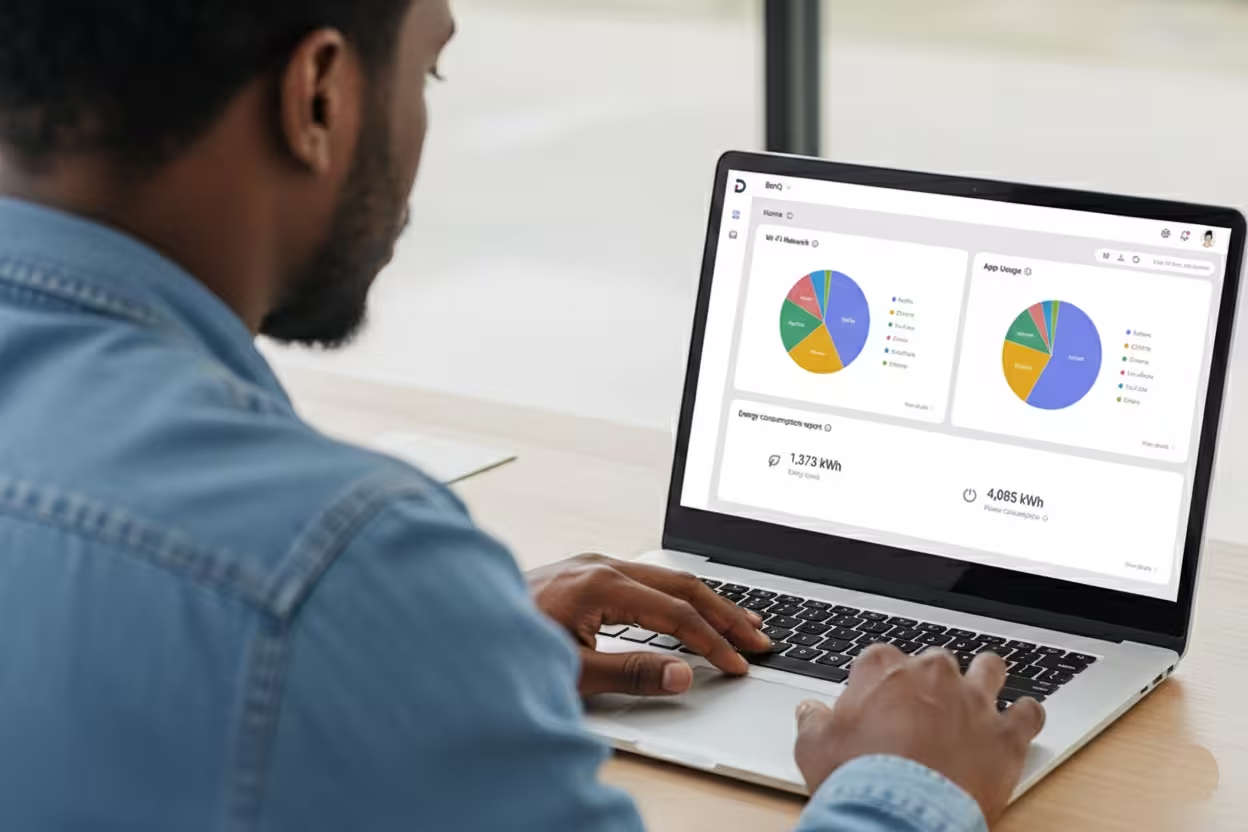
Beyond deployment, maintaining visibility over hardware usage patterns is vital for measuring organizational ROI. BenQ’s cloud architecture includes a data analytics engine that generates comprehensive hardware utility reports. System administrators can track total operational runtimes, analyze which specific applications are utilized most frequently, and monitor exact power draw patterns across the entire property.
Simultaneously, the board integrates with X-Sign Broadcast, allowing administrative staff to distribute high-definition corporate notices or instant multimedia emergency broadcasts across all displays over IP networks, turning an isolated boardroom asset into a unified communication network.
Secure Your Infrastructure, Empower Your Network
Ultimately, a digital transformation is only as successful as its security and manageability. By choosing a BenQ interactive flat panel in Nigeria, IT managers don’t just deploy a screen—they introduce a secure, compliant, and deeply integrated ecosystem that respects their network boundaries and saves countless maintenance hours.
Ready to simplify your organization’s device management? Contact IT&C Networks today to discuss our custom enterprise rollout plans and secure your 3-year warranty deployment.
Looking for a solution focused on campus-wide media broadcasting and live audio integration? Explore the Boxlight ProColor Series.